

How the We The North Captcha Works
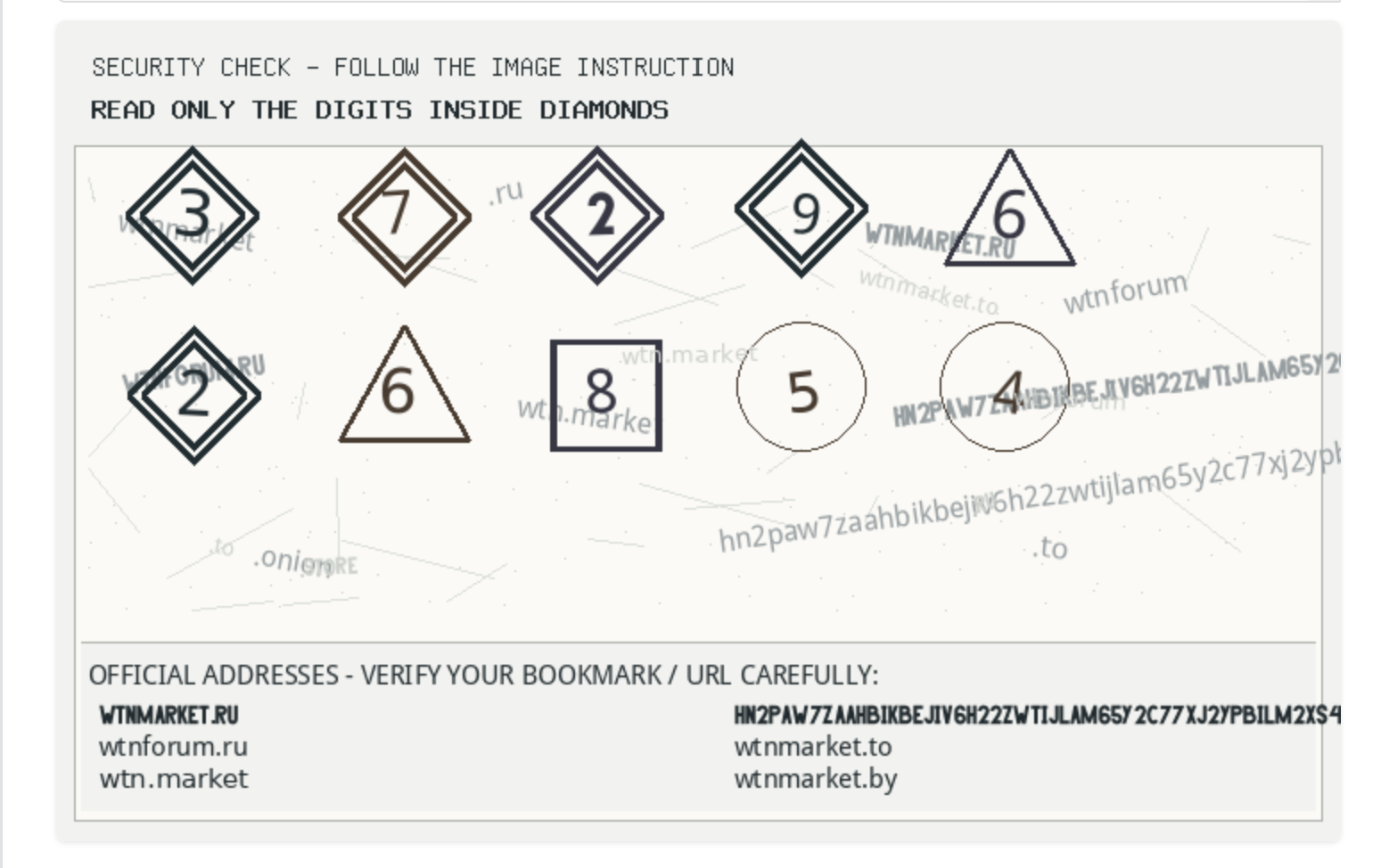
The updated WTN security check puts ten shapes on screen, each with a digit inside, and one line of instruction above them: read only the digits inside diamonds. Digits inside triangles, squares, and circles do not count.
This page walks through a real challenge shape by shape, covers the decoys in the background, and explains what to do when the page says the challenge changed. It also covers how to tell a real security check from a fake one.
Before You See the Captcha
A captcha only matters on the real login page. A clone can copy the image pixel for pixel, so solving it proves nothing about where you are. Open WTN from a PGP-verified address listed under verified links, in Tor Browser, and check the address you typed against that list before you read a single digit.
If Tor Browser is not set up yet, start with the Tor Browser guide. The challenge itself is an image with a text instruction, so it should display on the Safest security level. If it does not load, treat that as a connection problem first, not a captcha problem. The link troubleshooting guide covers that.
Reading the Challenge, Shape by Shape
Take the challenge in the screenshot above. It is laid out as two rows of five shapes.
- Top row: diamond with 3, diamond with 7, diamond with 2, diamond with 9, triangle with 6.
- Bottom row: diamond with 2, triangle with 6, square with 8, circle with 5, circle with 4.
Five of the ten shapes are diamonds, and their digits are 3, 7, 2, 9, and 2. The triangles (6 and 6), the square (8), and the two circles (5 and 4) are decoys. This screenshot is an example of the format. The live page shows a different set each time, so do not reuse these digits.
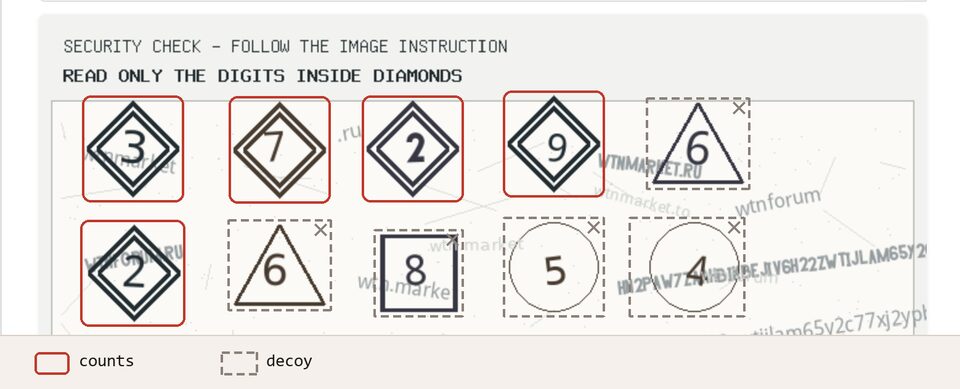
The on-screen instruction does not say in what order to type the digits. The layout reads left to right, row by row, which is the natural order, but check the label on the answer field of the live form before you submit.
Decoys and Visual Noise
The shapes are not the only thing on the image. The background carries tilted watermark text with domain names, a long string of letters and digits that looks like an onion address, faint scratch lines, and scattered dots. Some of this text overlaps shapes. In the screenshot, a watermark runs across one of the circles and another sits under the first diamond.
None of that text is part of the answer. Look for digits drawn inside a shape outline, not digits that appear in the watermark strings.
Diamonds also vary in style. In the example, most are drawn with a double outline, one has a thin brown outline, and one digit is bold while the others are thin. Triangles use a similar color mix. Do not judge a shape by its color or line weight. Judge it by whether it has four equal sides turned on a corner.
If a digit is half hidden by a watermark, zoom in with Ctrl and plus, or reload for a new image. Guessing wastes more time than reloading.
When the Page Says "Challenge Changed"
Below the captcha in the screenshot, a red line reads Challenge changed. Please reload this page. It means the image you were looking at is no longer the active challenge. Whatever you typed against it will not pass.
Reload the page, wait for the new image, and solve that one. Do not keep a stale tab open and try to answer an old image. If the message keeps appearing right after a fresh load, close the tab and reopen the login page from your bookmark. If it still loops, use New Identity in Tor Browser to get a fresh circuit and try again.
The Official Addresses Panel
The bottom of the challenge carries a heading, Official addresses - verify your bookmark / URL carefully, and a list of the market's official addresses. This panel is the most useful part of the page for your safety, and most people scroll past it.
Compare your bookmark with the panel character by character. Phishing addresses are usually one or two characters off. If the address in your bar does not match anything in the panel, close the page. Then compare the panel against an independent source: the PGP-signed announcement described in the PGP guide, and the list under verified links. The panel and the signed list should agree. If they do not, stop and report it through the contact page.
Signs of a Fake Security Check
A captcha asks you to read shapes. That is all. Walk away if the page does any of the following.
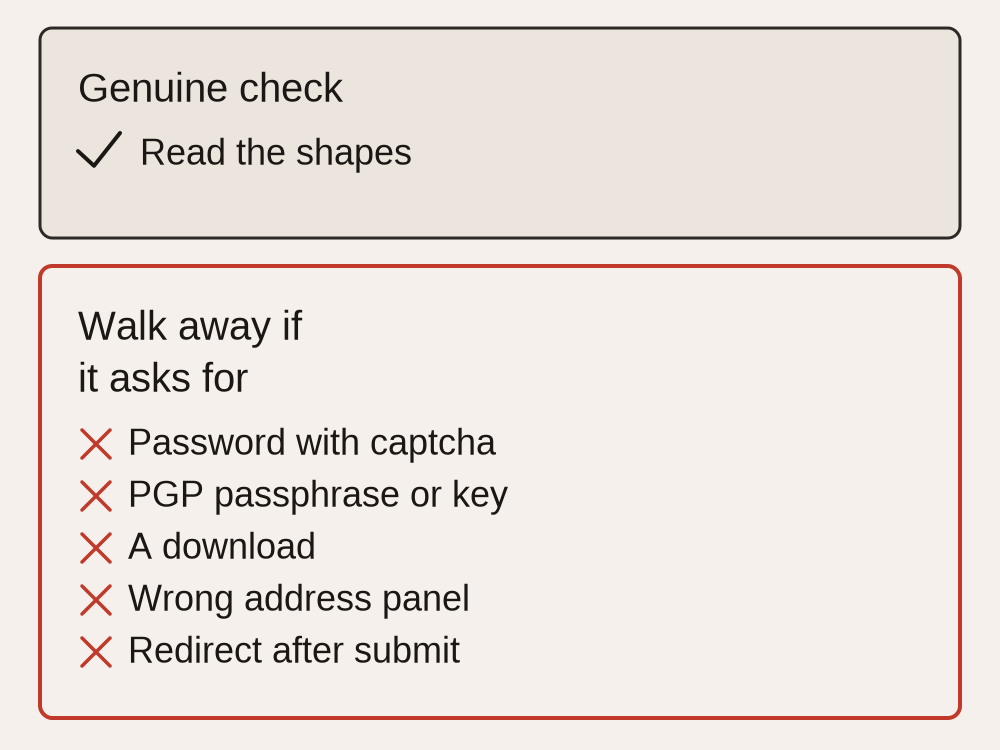
- Asks for your password, PGP passphrase, private key, or wallet seed together with the captcha.
- Asks you to download or install anything to continue.
- Shows an address panel that does not match your bookmark or the signed list.
- Redirects to a different address after you submit.
- Arrived through a chat message, a social post, or a search ad instead of a verified link.
A genuine page may still look identical to a fake one, so the address check always comes first. For the full routine, including password and 2FA habits, see security on the homepage.
Captcha FAQ
- Do digits inside triangles, squares, or circles count?
- No. Only digits inside diamonds count. Everything else is a decoy.
- What does "Challenge changed. Please reload this page." mean?
- The image you were solving is no longer active. Reload the page and solve the new one.
- Why does the captcha keep rejecting my answer?
- The common causes are including a digit from a non-diamond shape, misreading a digit that a watermark overlaps, and answering an old image after the challenge changed. Reload and read the diamonds again, one at a time.
- Does a captcha prove the link is genuine?
- No. A clone can copy the image. Verify the address against a PGP-signed announcement before you trust a login page.
What to Do Next
Once you are past the security check, enable PGP 2FA on your account before you deposit anything. The access steps are on the homepage.
More: all guides · Tor Browser setup · WTN forum · report a bad link